ER Architect / User guide
Using the editor
Written for whoever opens the diagram — the architect who designs it, and the analyst who needs to read it and say where it is wrong.
PKfirst_modelYour first model
Three ways in. Pick whichever matches what you already have.
-
Start from a database you already run
Choose a saved connection, pick a schema, and the editor reads tables, columns, primary and foreign keys and indexes straight into a diagram. Nothing is written back. If there is no connection in the list, an administrator has to add one — connection passwords are held on the server and are never shown to you.
-
Start from a file
Import a
.sqlfile ofCREATE TABLEstatements, or a DBML file. Useful when the schema exists as a migration in a repository but not yet as anything you can look at. -
Start from nothing
Open the example project to see a finished model — seven tables of a bookstore, grouped into two areas — or create an empty project and double-click the canvas to add your first table.
FKcanvasTables, columns and relationships
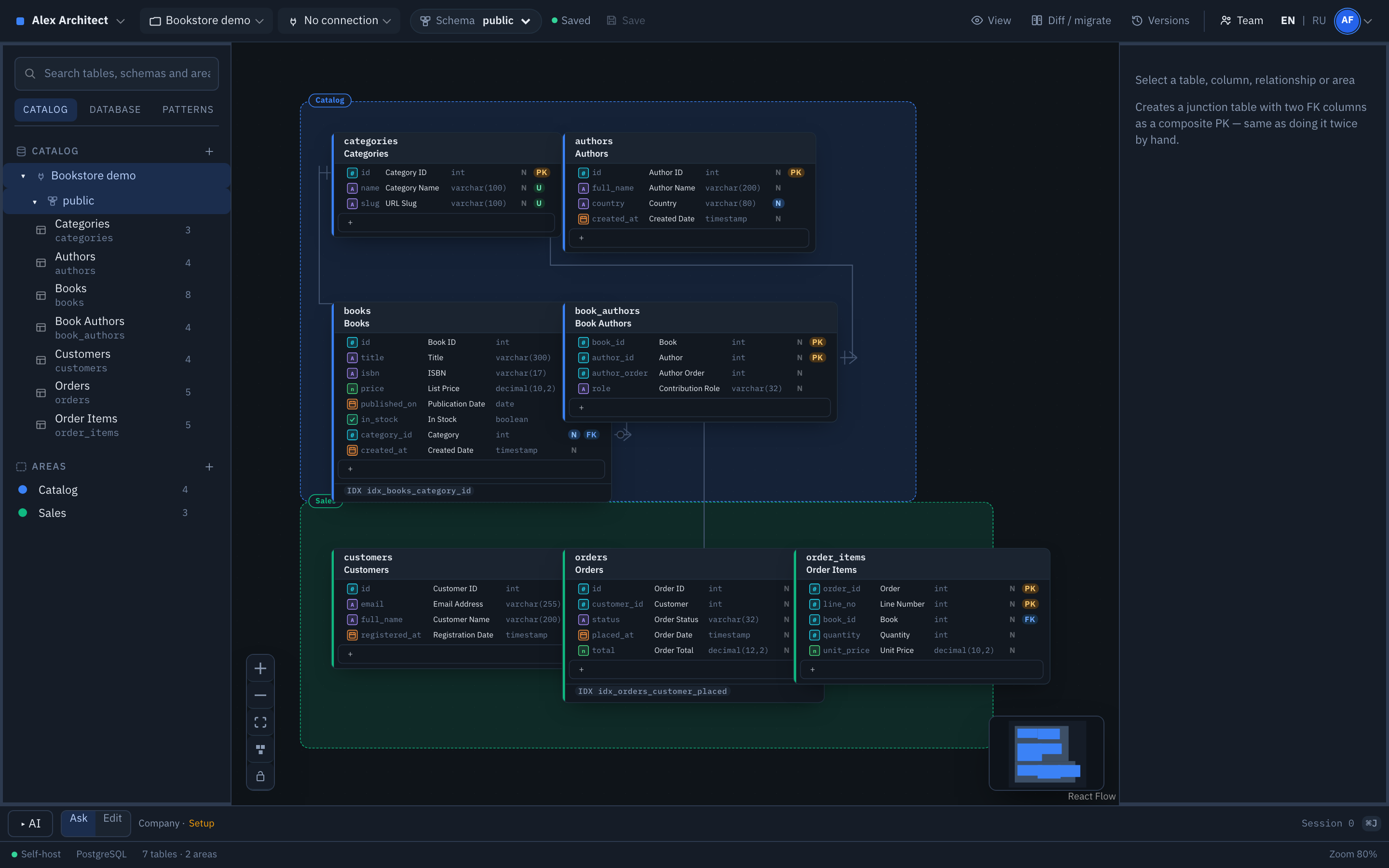
Double-click empty canvas to create a table. Inside a table, the + row adds a column. Everything is edited in place — click a name to change it.
Relationships are made by dragging. Pull from the handle beside a column to the table you want it to reference; ER Architect adds the foreign key column for you and names it after the column it points at. Notation is crow's foot, so the many end is visible at a glance.
Areas group tables that belong together — a subject area, a data mart, a bounded context. Drag a table onto an area to put it in, and it inherits the area's colour. In the bookstore example, Catalog and Sales are areas.
Every edit is undoable with Ctrl+Z, which is why the editor rarely asks you to confirm anything. Confirmation is reserved for the few things undo cannot take back.
FKnamingTwo names for everything
This is the mechanism that lets one model serve two audiences, so it is worth understanding early.
Every table and column has a code name — what it is called in the database, like order_items or unit_price — and a business name, what people call it when they talk: Order Items, Unit Price.
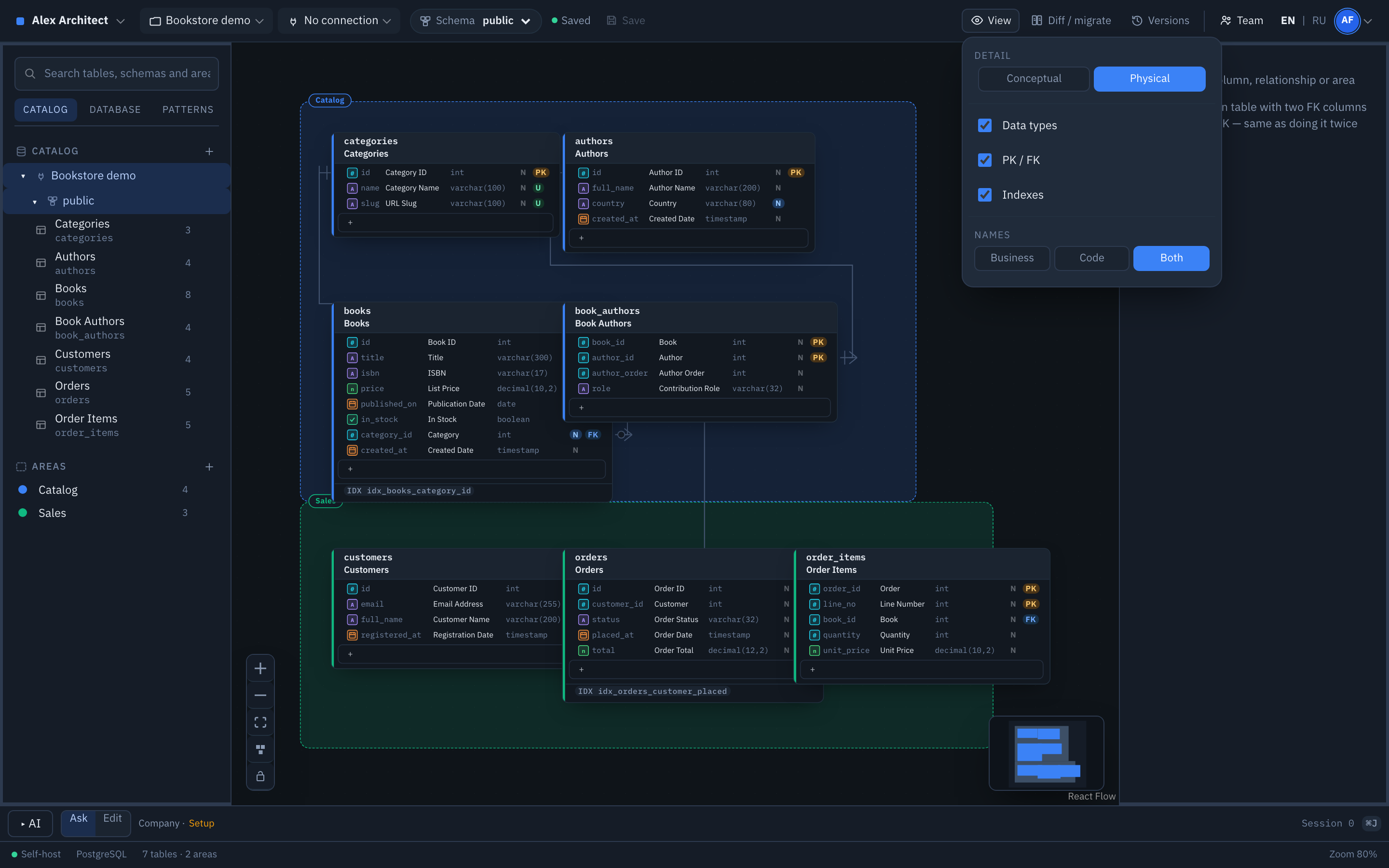
You choose which to display: code names, business names, or both. The conceptual level always shows business names, which is what makes the diagram readable by someone who has never opened a query editor.
Business names travel. They go into the generated DDL as COMMENT ON COLUMN, into exported documentation, and into the context the AI assistant receives.
NlevelsDetail levels
One model, read two ways. Nothing is duplicated and there is no second document to keep in sync.
| Level | What you see | Who it is for |
|---|---|---|
| Conceptual | Entities and the relationships between them, under their business names. No types, no keys, no technical noise. | Analysts, product people, and any conversation about the business rather than the database. |
| Physical | Everything: code names, types, keys, indexes, constraints. | The people who will build and query it. |
PKversionsSaving and versions
Saving is explicit. Until you press Save, your edits live in your browser session only — you can undo freely and nobody else sees them. This is why the header shows whether there is anything unsaved.
Each save is a version, with a message if you write one. The last fifty are kept: you can compare any two, and restore an older one into your session to look at it before deciding to keep it.
If two people save from the same starting point, the second save is refused rather than silently overwriting the first. You reload and reapply, or overwrite deliberately. There is no automatic merge of schemas, because a wrong merge of a schema is worse than a conflict you have to resolve by hand.
FKdiffCompare the model with a database
The check that tells you whether the diagram is still true.
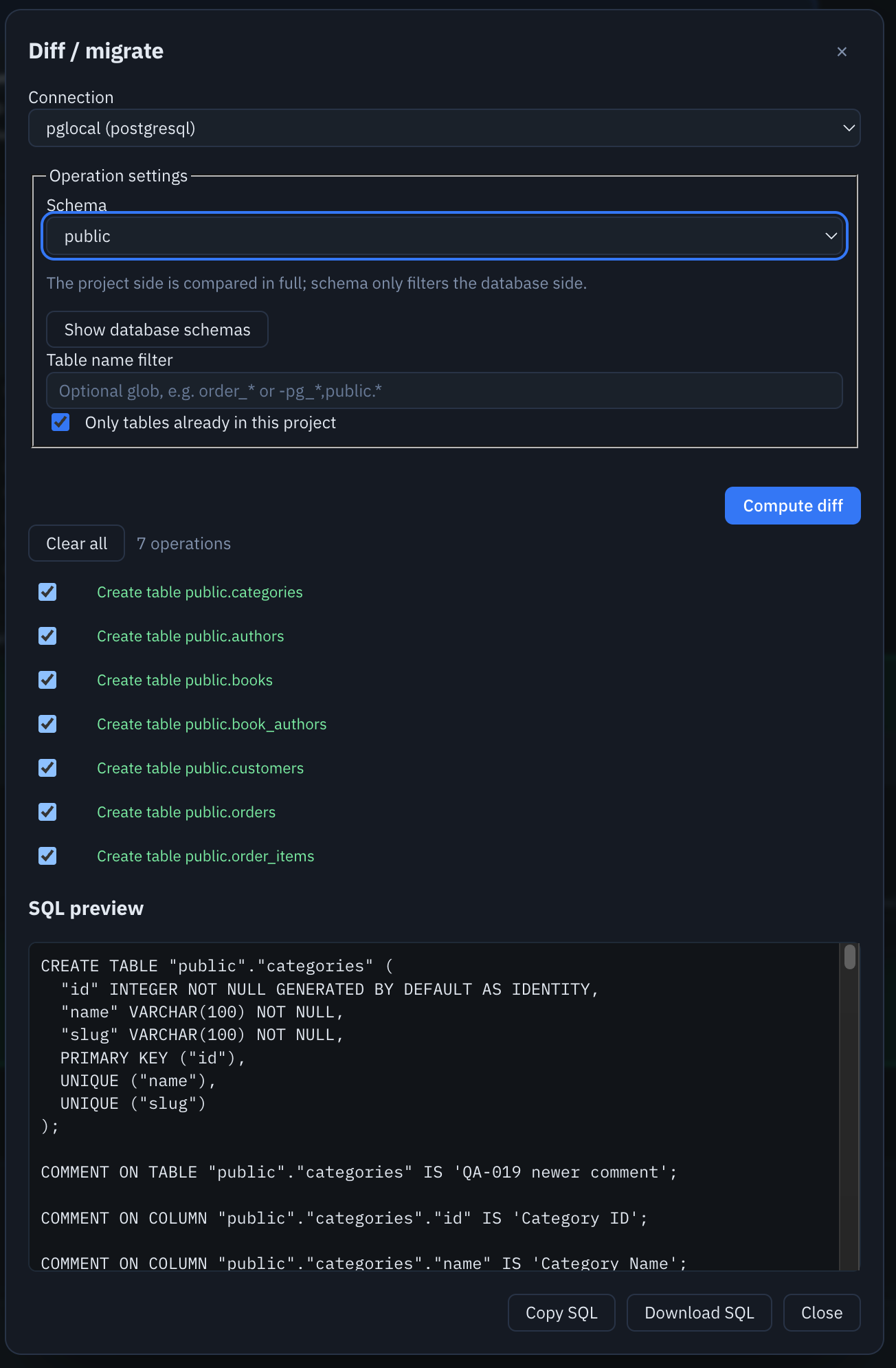
Choose a connection and a schema, and ER Architect compares your model against what is actually there. You get a list of differences — tables to create, columns to add, types that no longer match — and the SQL that would close the gap.
Read it, copy it, or download it. ER Architect does not run it. Applying changes to a database is done in your own tooling, by someone who has decided to.
NexportGetting the model out
| Format | When you want it |
|---|---|
| DDL | Hand the schema to whoever will create it. The dialect is chosen at export time, and you can export the whole project, one table, or one area. |
| DBML | Move the model to another tool, or keep it in a repository as text that diffs cleanly. |
| PNG, SVG | Put the diagram in a document or a slide. |
| HTML, Markdown | Documentation of every table and column, including business names and descriptions — for a wiki, or as a deliverable. |
Exporting part of a model drops foreign keys that point outside your selection. They are listed in the result rather than silently omitted.
PKteamYour team
Three roles, and everyone on the instance can be given one.
| Role | Can |
|---|---|
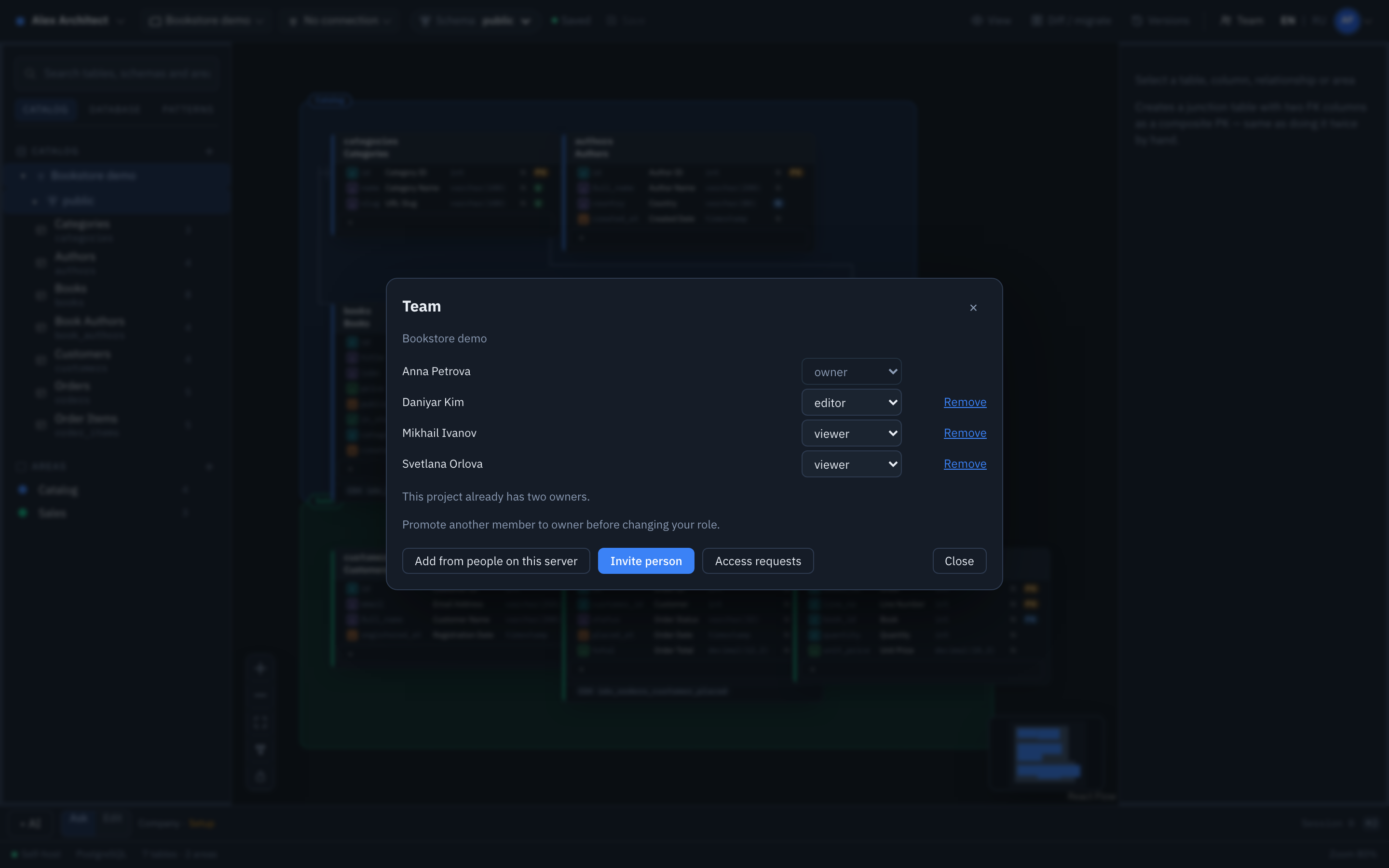
| Viewer | Open the model, read every level, export it. Cannot change anything. |
| Editor | Everything a viewer can, plus edit the model and save versions. |
| Owner | Everything an editor can, plus manage members and project settings. At most two owners per project, so responsibility stays identifiable. |
Add people already on the instance, or send a copy-and-paste invitation link. Someone without access can request it with a reason, and the owner approves or declines — also with a reason, so the answer is never just silence.
NassistantThe AI assistant
Optional, off unless someone turns it on, and it runs on a key you supply.
Ask answers questions about the schema and changes nothing. Edit applies changes you describe in plain language, as a single undoable step, with a version saved first so you can always get back.
The model returns a constrained list of edit operations, not a rewritten schema — so it cannot quietly restructure something you did not ask about.
Only schema metadata is sent: table names, column names, types, keys and comments. Row data is never read and never transmitted.
You can use a corporate key granted by an administrator, or your own personal key. If you have both, you choose which to spend on each request.
NfaqQuestions
Do I need to know SQL to use this?
No. On the conceptual level you read business names and relationships, with no types or keys in sight. Editing the physical structure needs SQL knowledge; reading the model does not.
Can two people edit the same diagram at once?
Several people can have it open and see who else is there. Each browser holds its own unsaved draft, and only Save writes to disk. If two people save from the same revision, the second is rejected with a conflict rather than overwriting the first.
Will it change my database?
No. Reverse engineering only reads. Diff produces SQL for you to read, copy or download; nothing is executed against your database from here.
Why can I see connections I cannot edit?
Connections are created by an administrator and shared across the instance. You can select one and read the structure of the database behind it, but the password is held on the server and never shown to you.
I deleted something by accident.
Ctrl+Z while you are still working. If you already saved, open Versions and restore the previous one — restoring brings it into your session, so you can look before you commit to it.